| English | 简体中文 |
agents-with-receipts
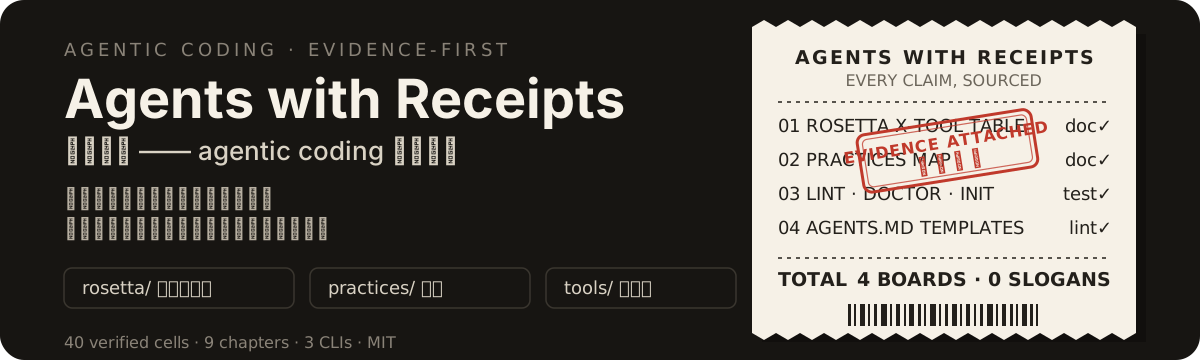
agents-with-receipts is a handbook plus four zero-dependency CLIs answering two questions: can an agent understand your repo, and can it verify its own work?



→ Read online (GitHub Pages) · Receipt-stub navigation on the left · Content stays in sync with the repo Markdown
60-second start
Two commands, both pointed at your own repo — one per question. Node ≥ 20, nothing to install.
git clone https://github.com/alloevil/agents-with-receipts.git

# Can an agent understand my repo? — AGENTS.md, rules, hooks, skills, CI gate
node agents-with-receipts/tools/agents-doctor/index.mjs your-repo/

# Can an agent verify its own work in it? — one verification command, determinism, failure evidence
node agents-with-receipts/tools/verify-doctor/index.mjs your-repo/
Each prints one line per check and closes with a summary. Here is this repo checking itself:
agent-ready: ok 4 · warn 0 · error 0
verify-ready: ok 2 · warn 5 · error 0
Every line that is not ok names the file, the missing evidence, and an official doc link for the fix. Exit code is 1 only when an error was found, so both drop straight into CI.
What it is
| Part | What it is | Which axis | Size |
|---|---|---|---|
rosetta/ |
Cross-tool comparison table: what Claude Code, Codex, Cursor and Copilot each call the same concept, where the file lives, and how proximity rules differ | understand | 10 concepts × 4 tools = 40 cells, every cell an official doc link, re-verified 2026-09-11 |
practices/ |
Handbook chapters. Every practice reads scenario → approach → evidence → boundaries, with copy-paste examples | 00–08 + 12 understand, 09–11 verify | 13 chapters, of which 00 is a follow-along walkthrough |
tools/ |
CLIs that turn those chapters into checks you can run, on one file or a whole repo | both | 4 CLIs · 5 lint rules · 8 doctor checks · 10 verify-doctor checks |
templates/ |
AGENTS.md / RULES.md skeletons distilled from real projects, usage notes in the comments |
understand | 2 skeletons, both built to pass the linter |
One rule holds all four together: no entry without a source. This repo dogfoods the whole set in CI.
Structure map: axis · chapter · check
Numbering is the order chapters were added, not the order to read them — the axis is the grouping, and each chapter’s footer continues in axis order. This table is the only alignment you need between the three parts: the question on the left, the machine-checkable id that answers whether you got it right on the right (id in --json output). The four chapters marked “none” are exactly the ones whose rules stop at the prose layer — see 10 — not an oversight.
| Axis | Chapter | What it answers | Machine-checkable id (--json) |
|---|---|---|---|
| understand | 00 Get a repo agent-ready (follow-along) | The whole route from no infrastructure to a lint gate in CI | agentsmd-lint’s 5 rules · agents-doctor’s ci-gate · agents-init to generate a starting point |
| understand | 01 Memory files | What to write, cut and maintain in AGENTS.md / CLAUDE.md — and how to audit Claude’s auto memory | agentsmd-lint’s max-lines · placeholder · vague · dead-script · empty-section; agents-doctor’s agents-md · claude-md |
| understand | 02 Mechanism selection | Whether a fact belongs in memory, a rule, a skill, a hook or a subagent | agents-doctor’s rules · hooks · skills |
| understand | 03 Task framing and planning | How to write a task an agent can execute and self-check | none — task wording has no mechanical check |
| understand | 04 Verification loops | agent-TDD, independent review, diff reconciliation | verify-doctor’s evidence-template |
| understand | 05 Permissions and sandboxing | Which autonomy tier, and how to fence network and secrets | none — the vendors enforce these tiers, the repo cannot |
| understand | 06 Context management | /clear discipline, isolated exploration, plans on disk, budget | none — context discipline leaves no artefact in the repo |
| understand | 07 Parallelism and orchestration | What may run in parallel, file ownership, git worktree | none — orchestration discipline leaves no artefact in the repo |
| understand | 08 Security and team governance | Untrusted input, secrets kept out of context, config checked in | agents-doctor’s secrets |
| understand | 12 Codebase mental model | Asking the runtime, mining history for motivation, demanding trade-offs | agents-doctor’s skills · adr |
| verify | 09 Verifiable repositories | One command for everything, determinism, failure evidence, flaky quarantine | verify-doctor’s verify-command · determinism · failure-artifacts · flaky-quarantine |
| verify | 10 Pushing rules into hard constraints | Moving rules from prose into structure, types and mechanical gates | verify-doctor’s module-boundary · type-strict · lint-hardness · escape-ratchet |
| verify | 11 Verification skills | Failure traces and screenshots, driving the real app, visual evidence in PRs | verify-doctor’s ui-evidence |
| verify | 13 Checkable claims | Every published number gets the command that produces it, plus the six ways such numbers go wrong and what to do about the ones no command can check | verify-claims’ claims.json |
Install
Node ≥ 20, no dependencies to install — the four CLIs are single-file Node ESM scripts using only the standard library, so the clone above is the entire installation.
They are also declared as bin entries, so npm link gives you agentsmd-lint, agents-doctor, agents-init and verify-doctor as named commands.
Where should I start?
| What you want to do | Start here |
|---|---|
| Setting up agent infrastructure for a repo for the first time | Follow along with 00 walkthrough: AGENTS.md → conditional rules → hooks → lint in CI, every step verifiable |
| Writing an AGENTS.md / CLAUDE.md for a repo | Start from the templates/ skeletons, checked against the trade-off principles in 01 Memory files |
| Unsure whether to use memory, a rule, or a hook | 02 Mechanism selection: five mechanisms positioned along two dimensions |
| Checking whether an existing AGENTS.md is any good | Run agentsmd-lint (checks the file) and agents-doctor (checks the whole repo’s infrastructure) |
| Wanting the agent to verify its own work — or to trust it enough to auto-merge | 09 Verifiable repositories for the stage order, then run verify-doctor: it reports the verification-loop gap stage by stage |
| Shipping UI changes and needing receipts an agent can produce | 11 Verification skills: failure screenshots/traces, driving the real app, visual evidence in the PR flow — checked mechanically by verify-doctor’s ui-evidence |
| Taking over unfamiliar code, or needing to know why it looks the way it does | 12 Codebase mental model: /how asks the runtime, /why digs the git history, /teach demands trade-offs — shipped as a commit-able skill |
| Switching tools, or mixing Claude Code / Codex / Cursor | The rosetta/ comparison table: what each vendor calls the same concept, where it lives, and how proximity rules differ |
| Systematically surveying the full landscape of agentic coding practices | practices/: thirteen chapters, every practice structured as “scenario → approach → evidence → boundaries” with official sources |
| Found outdated or incorrect content | CONTRIBUTING.md — open a PR with an official link; stale entries get deleted, not accumulated |
If you only have ten minutes: read the “convergence landscape” and “proximity-rule differences” sections in rosetta/, then run the linter once against your own repo.
rosetta — one concept, four names

Concepts go by different names and live in different places across the four tools: memory files, conditional rules, skills, hooks, sandboxing, approvals, MCP, headless. rosetta/ is a comparison table verified cell-by-cell against official docs — every cell is itself an official documentation link you can click to verify (re-verified cell by cell on 2026-09-11; it also records the four layers along which the four vendors are converging, and the four distinct “proximity” semantics in monorepos).
One immediately usable takeaway: make a root-level AGENTS.md the single source of truth (the agents.md open standard, used by 60k+ projects; Cursor and Copilot already read it natively), and symlink CLAUDE.md to it:
ln -s AGENTS.md CLAUDE.md
practices — thirteen chapters, every claim sourced

practices/ is a thirteen-chapter practices handbook: 00, a follow-along walkthrough (setting up full agent infrastructure from scratch) + chapters 01–11 (memory files / mechanism selection / task framing / verification loops / permissions & sandboxing / context management / parallel orchestration / safety & governance / verifiable repositories / pushing rules down into hard constraints / verification skills: screenshots, video and traces as evidence) + 12, codebase mental model (runtime and history questions — /how, /why, /teach, /recall — shipped as a skill you can commit). Every practice unfolds as “scenario → approach (copy-paste examples) → evidence (official links) → boundaries” — not a bullet-point index, but workflows you can actually follow to completion.
Accompanied by templates/: AGENTS.md / RULES.md skeletons distilled from real projects, with usage notes in the comments, designed to be used together with the linter below.
tools — four executable checks

A four-piece toolkit that turns practices into executable checks. Zero dependencies, Node ≥ 20:
| Tool | One command | What it does |
|---|---|---|
agentsmd-lint |
node tools/agentsmd-lint/index.mjs AGENTS.md |
Checks a single file’s quality: excessive line count / placeholders / vague wording / references to nonexistent npm scripts / empty heading sections |
agents-doctor |
node tools/agents-doctor/index.mjs . |
Checks an entire repo’s agent infrastructure: AGENTS.md quality, CLAUDE.md symlink/drift, rules/hooks/skills across the four tools, decision records (ADR) reachable from AGENTS.md, whether secrets are gitignored, CI gates |
agents-init |
node tools/agents-init/index.mjs . --link |
Detects package.json / Cargo.toml / pyproject / go.mod and generates an AGENTS.md starting point pre-filled with real commands + a CLAUDE.md symlink; the output automatically passes lint |
verify-doctor |
node tools/verify-doctor/index.mjs . |
Checks whether an agent can verify its own work in the repo: one command that runs everything, determinism, failure artefacts, UI evidence (screenshots/traces), module boundaries, type strictness, lint hardness, escape-hatch ratchet, flaky quarantine, evidence template — 10 checks reported by stage 0–5 |
All four tools exit with code 1 on any error, so they slot straight into CI. Stage gaps that verify-doctor finds are warnings by default (--strict promotes them to errors), so adopting it does not turn a repo red overnight. This repo dogfoods the full set: CI runs the lint gate + doctor checkup + verify-doctor, and the root AGENTS.md was generated by agents-init and then refined by hand.
For agents
Half the readers of this repo are agents. Handing one a human report line such as ✓ [agents-md] AGENTS.md 存在且通过 agentsmd-lint and asking it to regex out the verdict is not an output format — it is a missing interface. So each CLI has a machine-readable one.
All four accept --json and write the same shape to stdout:
{
  "tool": "verify-doctor",
  "target": "/abs/path/to/repo",
  "summary": { "ok": 2, "warn": 5, "error": 0, "info": 2 },
  "results": [
    { "id": "verify-command", "level": "warn", "message": "...", "advice": "...", "stage": 0 }
  ]
}
targetis an absolute path.agentsmd-lintis the one exception: it takes a list of files, so itstargetis an array of absolute paths and every result additionally carriesfile.levelis one ofok/warn/error/info, and nothing else ever appears there.infois not a pass. It marks a finding that is not a defect or a check that had nothing to look at — escape-hatch counting on a stackverify-doctorhas no probes for, for instance. A consumer asking “did this check succeed” must test forok, never for “noterror”.stage, an integer 0–5, is emitted byverify-doctoronly.agentsmd-lintentries carrylineinstead, omitted when a finding has no line number.adviceis optional. A field that does not apply is an absent key, nevernull.- Under
--json, stdout holds exactly one JSON object: no human lines, no ANSI escapes. - Exit code is identical to the human mode:
0clean,1if and only if some result iserror,2for a usage error. On a usage error all four print one usage line to stderr and leave stdout empty, so a parse never sees half an object. - All four also accept
--help, which prints usage, every flag and the exit-code meanings, and always exits 0.
Two entry points for retrieval: llms.txt indexes the whole repo, one line of purpose per document, and each tool’s README carries the field table for its own check ids — agentsmd-lint, agents-doctor, agents-init, verify-doctor.
Why you can trust it
Every claim must answer one question: where’s the source? The answer is a clickable official doc, not a slogan.
There are already plenty of best-practice collections for Claude Code, Codex, and Cursor — but nearly all of them are unsourced assertions (“keep CLAUDE.md short”, “plan before you code”). The approach here: a comparison table verified cell-by-cell against official docs, where every cell is itself a link; a practices map where every entry carries a source and verification date; plus checkers that actually run — one for whether an agent can read the repo, one for whether it can verify its own work.
Four positions follow from that rule:
- Evidence first. Unsourced claims are not accepted; every cell of the comparison table is an official documentation link.
- Half-life awareness. This field shifts every few months; every entry is annotated with the applicable tool and date, and stale entries get deleted.
- Less but better. A handbook’s value density is set by its worst entry.
- Executable > readable. A practice that can be turned into a lint rule, template, or scaffold should not remain prose.
Every number quoted here is recomputable: claims.json pairs each one with the metric it measures and the exact command that reproduces it.
When to use it
- Setting up agent infrastructure for a repo for the first time — chapter 00 walks AGENTS.md → conditional rules → hooks → lint in CI, every step verifiable.
- Switching between, or simultaneously using, Claude Code / Codex / Cursor / Copilot:
rosetta/tells you what each calls the same concept, where the file lives, and how their “nearest wins” semantics differ in a monorepo. - You already have an AGENTS.md and want to know whether it is any good — the linter catches leftover template placeholders, references to npm scripts that do not exist, vague wording an agent cannot act on, empty sections and excessive length.
- You need a repo-level checkup before onboarding a team:
agents-doctorreports memory-file quality, CLAUDE.md drift, which vendors’ rules/hooks/skills exist, whether secret files are gitignored, and whether CI has a lint gate. - You are about to let agents merge their own PRs and need to know whether the verification loop can carry that:
verify-doctorreports, stage by stage, whether one command runs everything, whether that command is deterministic, whether failures leave artefacts an agent can read, and whether type/lint escape hatches are ratcheted downward. - You are writing team standards and need every rule to carry a citation a colleague can click.
When NOT to use it
- You want productivity or performance numbers. There are none, by design.
claims.jsononly counts this repo’s own artefacts (40 sourced cells, 13 chapters, 4 tools, 5 lint rules, 8 doctor checks, 10 verify-doctor checks, 5 stacks those checks recognise, 4/4 CLIs with--json, 0 dependencies). No claim is made that any practice makes an agent faster or more accurate, because that has not been measured. - You need vendor facts guaranteed current. The comparison table is dated 2026-09-11 (first pass 2026-08). This field moves in months — that is why every cell is a link: re-verify the one cell your decision rests on before betting on it.
- You want the tools to fix your files. All are read-only reporters except
agents-init, which writes a new AGENTS.md and refuses to overwrite an existing one without--force. - You want
verify-doctorto close the gaps it finds. It is a detector, not a fixer: it names the stage and the missing evidence, and never edits your tests, config or CI. It also ships no dependency-cruiser or betterer of its own — zero dependencies is a rule here — it only detects whether you have already adopted such a tool. - You want
verify-doctorto speak every language. Its probes are written per ecosystem, and five stacks are covered today: JS/TS, Python, Go, Rust, Java/Kotlin. On any other language exactly four checks can still come back green, because they read CI YAML and repo files rather than source:verify-command,failure-artifacts,module-boundary,evidence-template. The other five —determinism,type-strict,lint-hardness,escape-ratchet,flaky-quarantine— never reportokthere: with nothing to probe they reportinfonaming the reason, and they only rise towarnon a language-independent finding such as a verification command that does not pinTZ.ui-evidencekeys off Playwright/Cypress configs rather than language probes — it stays meaningful on any stack, and with no browser framework present it reportsinfo, never a green light. That is a design rule, not a gap left open: a check with nothing to look at reportsinfo, neverok;okmay only mean “looked, and it is genuinely clean”. A green light that actually means “this probe does not fit your repo” carries zero information — the mirror image of the warn equals nonexistent failure mode chapter 10 argues against. - You are on Node < 20, or want a published package — the tools ship as source in this repo.
- You want opinions on models or prompt engineering. Scope is the repository side of two axes: can an agent understand this repo (memory files, rules, skills, hooks, sandboxing, approvals, MCP, headless) and can an agent verify its own work in it (verification command, determinism, failure artefacts, UI evidence, module boundaries, escape-hatch ratchets, flaky quarantine).
FAQ
What is the difference between the four tools?
They work at four scopes. agentsmd-lint grades the content of one memory file: line count, unfilled placeholders, vague wording, references to npm scripts that do not exist in the sibling package.json, empty heading sections. agents-doctor grades the infrastructure around those files in a whole repo: AGENTS.md quality, CLAUDE.md symlink vs drift, which of the four vendors’ rules/hooks/skills directories exist, whether decision records are reachable from AGENTS.md, whether secret files are gitignored, whether CI has a lint gate. agents-init takes a repo with no AGENTS.md and generates one from detected build tooling, then lints its own output. verify-doctor changes axis: instead of asking whether the repo explains itself to an agent, it asks whether the repo lets an agent check itself — one command that runs everything, determinism, failure artefacts, UI evidence an agent can look at, module boundaries, type and lint hardness, an escape-hatch ratchet, flaky quarantine, and an evidence template in the PR flow.
Why does agents-init only write commands it detected?
Because an invented command in a memory file is worse than no memory file — the agent runs it, it fails, and the file has taught the agent something false. It reads package.json scripts, Cargo.toml, pyproject.toml and go.mod, emits only entries that exist (switching prefix when packageManager names pnpm or yarn), and for pyproject without pytest traces writes a comment instead of guessing. It then runs the linter on its output and exits non-zero if that fails.
Should CLAUDE.md be a symlink to AGENTS.md?
That is the recommendation here, and ln -s AGENTS.md CLAUDE.md is the whole implementation: AGENTS.md is an open standard that Cursor and Copilot read natively, so one file is maintained instead of one per vendor. agents-doctor grades this on three levels — symlink is ok, an identical separate copy is info (it works but will drift), drifted or missing is a warning. The trade-off: a symlink means every tool sees identical instructions, which is wrong if you genuinely need vendor-specific guidance.
How current is the comparison table, and what happens when a vendor changes something? Verified cell by cell in 2026-09 (first pass 2026-08), and that date is stated on the table rather than implied. Every cell’s text is the vendor link, so any single cell can be re-verified in one click instead of trusting the table wholesale. Corrections are accepted as PRs that include the official link, and outdated entries get deleted rather than caveated.
What is the licence, and can I reuse this internally?
Code is MIT; documentation content is additionally available under CC BY 4.0, so chapters and table rows can be copied into internal docs with attribution. Cite the page that carries the claim (e.g. practices/05-permissions-sandbox.md) and keep the vendor link that backs it, so your readers inherit the receipt.
Contributing
See CONTRIBUTING.md. The one-sentence version: new entries must carry an official source, and PRs correcting outdated information should include the official link.
License
MIT. Documentation content is additionally available under CC BY 4.0.